The Lenovo Legion Go has carved out a distinct space in the handheld gaming PC market since its 2023 release. With an 8.8-inch display, AMD Ryzen Z1 Extreme processor, and detachable controllers, it offers capabilities that set it apart from competitors. But specs on paper only tell part of the story. Real-world Lenovo Legion Go examples reveal how this device performs during actual use, whether running demanding AAA titles, handling productivity tasks, or serving as a portable emulation station. This article breaks down practical scenarios where the Legion Go shines, stumbles, and surprises users who put it through its paces.
Table of Contents
ToggleKey Takeaways
- Lenovo Legion Go examples show AAA games like Cyberpunk 2077 run at 30-40 FPS on medium settings, while indie titles hit a smooth 60 FPS effortlessly.
- The detachable controllers and FPS Mode offer unique gameplay flexibility not found on competing handhelds like the Steam Deck or ROG Ally.
- Emulation performance is a standout feature—PS2 and GameCube titles run excellently, and Switch emulation works well for optimized games.
- With Windows 11 and a built-in kickstand, the Legion Go doubles as a portable productivity device for document editing, web browsing, and remote play.
- Battery life during heavy gaming lasts only 1.5-2 hours, so access to an outlet is essential for extended AAA sessions.
- The Legion Go is ideal for users who prioritize screen size, controller versatility, and Windows functionality over portability and battery longevity.
Gaming Performance Across Popular Titles
Gaming performance represents the core appeal of any handheld gaming PC, and Lenovo Legion Go examples in this area offer clear insights into what users can expect.
AAA Games at Native Resolution
The Legion Go’s 2560×1600 native resolution presents both an opportunity and a challenge. Running games at full resolution demands significant GPU power. In titles like Cyberpunk 2077, users report playable 30-40 FPS at medium settings with FSR enabled. Baldur’s Gate 3 runs smoothly at 40-45 FPS with a mix of medium and high settings.
Dropping to 1280×800 resolution dramatically improves frame rates. Starfield becomes genuinely enjoyable at this lower resolution, hitting 35-40 FPS where it struggled at native. The 8.8-inch screen size means the resolution drop is less noticeable than it would be on a larger display.
Optimized and Indie Titles
The Legion Go excels with games designed for lower-spec hardware. Hades II runs at a locked 60 FPS with settings maxed out. Vampire Survivors and Stardew Valley feel effortless. These Lenovo Legion Go examples show the device handles indie darlings without breaking a sweat.
Elden Ring represents a middle ground, users achieve stable 45-50 FPS at medium settings with resolution scaling. It’s a demanding title that remains playable throughout extended sessions.
Battery Life During Gaming
Heavy gaming drains the battery quickly. Expect 1.5 to 2 hours of AAA gameplay before needing a charge. Lighter titles extend this to 3-4 hours. The included 65W charger helps, but serious gaming sessions require access to an outlet.
Productivity and Emulation Use Cases
The Lenovo Legion Go functions as more than a gaming device. Its Windows 11 operating system opens doors to productivity and emulation scenarios that console-style handhelds can’t match.
Desktop Mode Productivity
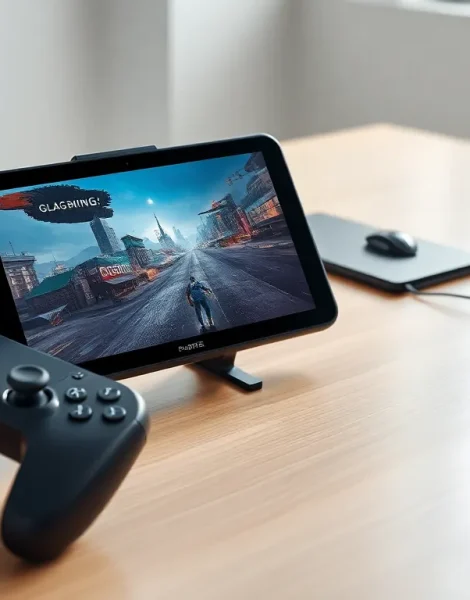
With its kickstand deployed and controllers detached, the Legion Go transforms into a compact Windows tablet. Users connect Bluetooth keyboards and mice for document editing, web browsing, and light creative work. The large screen makes spreadsheet work surprisingly manageable.
Some owners use their Legion Go as a secondary display via software like SpaceDesk. Others run video calls during travel. These Lenovo Legion Go examples demonstrate versatility beyond pure gaming.
Emulation Performance
Emulation enthusiasts find the Legion Go particularly capable. The AMD Ryzen Z1 Extreme handles PlayStation 2 emulation through PCSX2 without issues. GameCube and Wii titles run excellently via Dolphin at increased internal resolutions.
Nintendo Switch emulation through Yuzu or Ryujinx produces mixed results. Optimized titles like Super Mario Odyssey run well. More demanding games require settings adjustments and may still experience frame drops.
PlayStation 3 emulation via RPCS3 works for certain titles but remains inconsistent. Games with good compatibility ratings run acceptably, while others struggle. The Legion Go handles this emulation tier better than Steam Deck but still has limitations.
Streaming and Remote Play
The device serves as an excellent remote play client. Xbox Cloud Gaming, PlayStation Remote Play, and Steam Link all function smoothly on the large display. Users with strong home networks stream games from their desktop PCs with minimal latency. This extends the Legion Go’s effective game library dramatically.
Detachable Controllers and Unique Features in Practice
The detachable controllers represent the most distinctive aspect of the Legion Go design. Real-world Lenovo Legion Go examples reveal how these features work outside controlled demonstrations.
FPS Mode with Right Controller
Removing the right controller activates FPS Mode, turning the joystick into a mouse-like pointing device. This feature aims to improve first-person shooter gameplay on a handheld. Results vary by user preference and game type.
Some players find it genuinely useful for games like Counter-Strike 2 where precision aiming matters. Others prefer traditional controller input or connecting an actual mouse. The included controller base adds stability when using FPS Mode for extended periods.
Tabletop Gaming
The built-in kickstand enables tabletop play with detached controllers. This works well for couch co-op scenarios where players sit further from the screen. Racing games and fighting games feel natural in this configuration.
The kickstand holds at multiple angles, though it can wobble on uneven surfaces. Users report satisfaction with tabletop mode during flights and train rides where holding the full device becomes tiring.
Trackpad Integration
The right controller includes a small trackpad that functions like the Steam Deck’s touchpads. It handles cursor navigation in Windows and works as a secondary input in games that support it. The trackpad size limits its usefulness compared to dedicated laptop trackpads, but it eliminates the need for a mouse during basic navigation tasks.
TrueStrike Controllers
The TrueStrike controllers feature Hall effect joysticks that resist drift over time. Button feel is solid and responsive. The larger form factor compared to Nintendo Switch Joy-Cons provides better grip for adult hands. But, the attachment mechanism feels less secure than some users prefer, there’s slight play when controllers are docked.
Comparing the Legion Go to Other Handheld Gaming PCs
Understanding where the Legion Go fits requires comparison with its main competitors. These Lenovo Legion Go examples gain context when measured against alternatives.
vs. Steam Deck OLED
The Steam Deck OLED costs less and offers superior battery life. Its OLED screen provides better contrast and colors than the Legion Go’s LCD panel. SteamOS delivers a more console-like experience with fewer Windows-related issues.
The Legion Go counters with a larger screen, more RAM (16GB vs 16GB, though with faster speed), and full Windows flexibility. Users who need Windows-specific software or prefer the bigger display find value in the Legion Go even though its higher price.
vs. ASUS ROG Ally
The ROG Ally shares the same AMD processor family and Windows operating system. It’s lighter and more compact, making it easier to hold during long sessions. The 1080p display at 120Hz appeals to users who prioritize frame rate over resolution.
The Legion Go offers detachable controllers, a larger screen, and the kickstand that the ROG Ally lacks. It suits users who want versatility and don’t mind the added weight. Both devices deliver similar gaming performance.
Who Should Choose the Legion Go?
The Legion Go fits users who value screen size, controller flexibility, and Windows functionality. It’s ideal for emulation enthusiasts, productivity-minded gamers, and those who appreciate the tabletop mode. Users seeking the lightest option or best battery life should consider alternatives.